How to Take Better Travel Photos
4 min readPhotojournalist Tim Baker has been Wendy’s personal photographer (not to mention her husband) for decades. Not only has he shot gorgeous landscapes and emotive portraits all over the globe, he’s also covered the action in war zones and pro football stadiums. During WOW Week 2026, Tim gave a very popular talk on easy ways to ...
The post How to Take Better Travel Photos appeared first on Wendy Perrin.
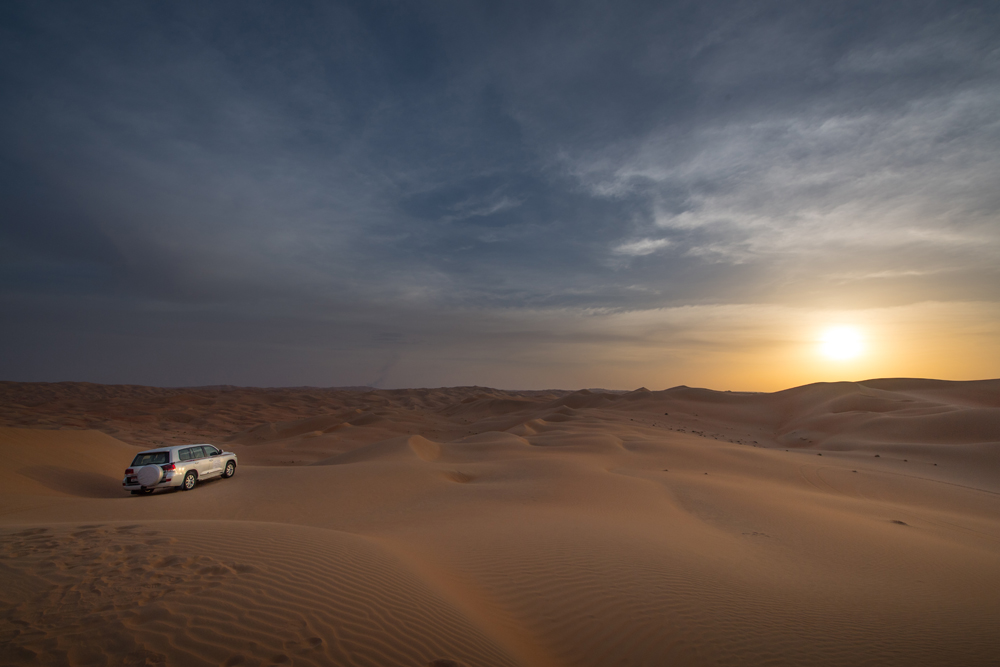
Photojournalist Tim Baker has been Wendy’s personal photographer (not to mention her husband) for decades. Not only has he shot gorgeous landscapes and emotive portraits all over the globe, he’s also covered the action in war zones and pro football stadiums. During WOW Week 2026, Tim gave a very popular talk on easy ways to improve your travel photos. Watch his full talk in this video and learn how to take better action shots, nighttime shots, food shots, wildlife shots, and much more. He also shares advice for cropping, editing, and small gear that can make a huge difference.
[embedded content]
As you heard in the video, Tim stands by an old saying in photography: “The best camera is the one you have with you.” For many travelers, that’s their smartphone. Here are Tim’s tips specifically for taking better photos with your smartphone:
Clean your phone’s lenses. Tim cleans his before almost every shoot, especially when around salt water or sunny weather. (You might be wearing sunscreen and accidentally brush your arm up against the lenses, giving them a coating of SPF 100 and your photos an unwelcome misty quality). You can clean the lenses with anything you would use to clean your glasses.
Take action shots. Ask yourself: What is the verb in the picture? Rather than having people pose for every photo, try to capture interaction and movement. For instance, shoot your family taking part in a cooking class, interacting with local people at a market, or bobsledding down a mountain—not just standing beside the chef, the fishmonger, or the bobsled.
Instead of using the flash, use a flashlight. Since the flash on phone cameras produces horrible results, borrow someone else’s phone and use its flashlight feature to light the backlit subjects. (Watch the video to see the pocket-sized light that Tim also carries.)
When shooting a food photo, light it up. Food pictures should look delicious! Use someone else’s phone in flashlight mode to light the dish. Food often looks the best with backlighting.
If a group of people is posing, take multiple photos. Often one person in the group will have their eyes closed or won’t be smiling at the exact moment when you snap the photo. Shoot several times, then choose the shot where everybody in the group has their eyes open and is smiling.
For portraits, turn the subjects away from dead center to the camera. Have them point their feet an eighth of a turn away from square to the camera. Their shoulders will naturally turn too, giving a more pleasing, less driver’s-license look.
Use the phone’s camera grid to follow the “Rule of Thirds.” The rule basically says: Don’t put a horizon line or subject in the dead center of a frame. Turn your camera’s grid on and place the subject at any of the four points where the horizontal and vertical lines intersect.
Use the sun-icon slider to adjust the light. Learn to use the exposure compensation feature (which you can pull up by simply tapping your phone’s screen while in camera mode). The exposure of a subject can be “fooled” by very bright or dark scenes. Using exposure compensation can improve the photo; it’s especially useful with scenic shots.
When shooting close-ups, tap the screen to select the part of the image that you want to be sharpest. When shooting foods or busy scenes, the camera may pick one focus point, whereas you want another. Tapping on the specific focus point that you want tells the camera to focus on that.
Take horizontal photos. We naturally orient our phones vertically, but many shots are best composed horizontally, in what’s called “landscape.” Try both orientations—unlike in the days of film, it’s free to shoot, and you can delete what doesn’t work.
Avoid using the zoom. When you zoom, all you are doing is cropping the original image, which can result in blurry photos because of their small file size. It’s better to walk in closer to your subject instead. (But if zooming is the only possible option, go ahead and try it.)
Use burst mode for shooting fast-moving action. Say your spouse is in the Tour de France and they will pedal by in a heartbeat. Using burst mode (approximately 10 photos per second) will greatly increase your chances of getting THE shot. Once you decide which shot was THE shot, you can delete the other nine to save space.
When shooting video, know that you can take still photos at the same time. Videos are great when you want to capture sound or action. Once you start recording a video, a white button will appear above the red record button; that is now the shutter button that allows you to take still photos while still recording.
Don’t oversaturate. If you’re using the in-phone editing tool, experiment with moving the various sliders around, but don’t boost the saturation too much. It can give your photo a phony Chamber-of-Commerce look.
Last but not least, overshoot and overedit. Don’t hesitate to shoot a lot of pictures, since this will give you more options when you’re ready to edit them. But then make tough editing choices, so that you show people only your very best. Everyone will think you’re a great photographer!
Be a smarter traveler: Sign up for Wendy’s weekly newsletter to stay in the know. Read real travelers’ reviews, then use the black CONTACT buttons on Wendy’s WOW List to reach out to the right local fixer for your trip.


